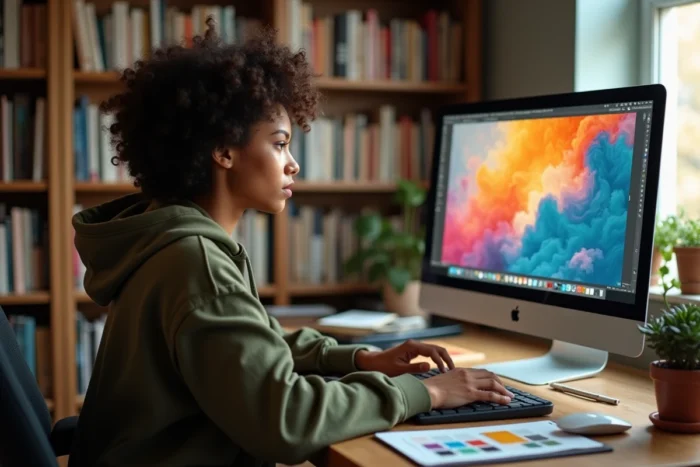
The choice of free graphic design software is no longer just about finding a clone of Photoshop. In 2026, the market has segmented by use case: bitmap retouching, vector illustration, UI prototyping, marketing visuals. We recommend thinking in terms of workflow before comparing feature lists.
CMYK Management and Print Export: The Real Selection Filter
The majority of free tools work exclusively in RGB. This technical point eliminates the most candidates as soon as a project involves offset printing or packaging.
GIMP only manages CMYK through third-party plugins, which complicates reliable four-color separation. Inkscape exports to PDF but without a natively integrated ICC profile. Krita, designed for digital painting, completely ignores the print issue.
Among the best free graphic design software, only Photopea offers direct CMYK conversion in the browser, with color profile management. For a designer producing files intended for the printer, this criterion weighs more than the richness of brushes or the number of available filters.
The rest of the graphic chain also poses problems: advanced OpenType typography (contextual ligatures, stylistic variants) remains poorly supported by most free tools, forcing users to finalize texts in another software before export.

Segmentation by Use Case: Which Graphic Software for Which Need
We observe that competing guides stack tool names without prioritizing. The reality on the ground is more clear-cut: each software excels in a specific area and becomes mediocre outside of it.
Photo Retouching and Bitmap Composition
Photopea replicates the Photoshop interface in a browser, supports PSD, XD, and Sketch files, and requires no installation. GIMP remains the desktop reference for advanced retouching with its layer system, masks, and Python scripts, but its learning curve deters non-technical users.
Vector Illustration
Inkscape covers almost all needs in vector drawing: Bézier paths, boolean operations, native SVG. Its weak point lies in performance with heavy files (several hundred nodes) and the lack of smooth native multi-page management.
UI Prototyping and Collaboration
Figma dominates collaborative prototyping in the free version, with simultaneous editing, reusable components, and auto-layout. No other free tool offers this level of real-time collaboration on interactive mockups.
Marketing Visuals and Social Media
Canva targets non-designers with its ready-to-use templates. The free version is sufficient for social posts or simple presentations, but limitations quickly appear: restricted library, limited resolution exports, no access to automatic resizing functions.
- Advanced bitmap retouching: GIMP (desktop) or Photopea (browser, PSD compatible)
- Vector illustration and SVG: Inkscape, with PDF export for print
- Collaborative UI prototyping: Figma, the only free tool with native simultaneous editing
- Quick marketing visuals: Canva, suitable for non-technical users
- Digital painting and illustration: Krita, with a customizable brush engine
Hidden Quotas and Restrictions of Free Versions
The word “free” deserves careful examination. Several tools have tightened their conditions in recent years, and free can hide very concrete limits on commercial use.
Tools incorporating AI generation often impose monthly image quotas, a visible or invisible watermark, and sometimes a ban on commercial use. Canva restricts access to certain premium features (background removal, magic resizing) to paying subscribers.
Figma caps the number of projects and pages per file in the free version. Beyond three active projects, switching to the paid version becomes necessary for any structured teamwork.
Before embarking on a production workflow with a free tool, we recommend checking three points:
- The rights for commercial use of exported creations, including those generated by AI
- The available export formats (vector PDF, SVG, PSD) and their compatibility with the production suite
- The quotas for storage, active projects, or monthly downloads
Compatibility with Professional Workflows: Plugins and Automation
A free software that works in isolation slows down production. The ability to integrate into an existing toolchain distinguishes a viable tool from a gadget.
GIMP accepts Python scripts and Script-Fu to automate batch processes (resizing, applying filters, multi-format export). Inkscape supports Python extensions and command lines for SVG conversion. These two software can fit into automated pipelines, which Canva or purely online tools do not allow.
Figma compensates with its REST API, which allows programmatic extraction of components, styles, and design tokens. For teams working in a design system, this API represents a decisive advantage over free alternatives lacking a programmatic interface.
Photopea operates entirely in the browser without a public API, making it convenient for occasional retouching but unsuitable for automation. The choice between desktop and browser directly depends on the volume of files to be processed and the degree of integration required with other links in the graphic creation chain.
The landscape of free graphic design software rewards those who choose based on technical constraints rather than popularity. A tool perfectly suited to a specific need is better than a versatile suite that does nothing correctly.